
Best Budget
CREXIN TechnologiesFinance
0.00.00 Reviews
- Version
- 2.1.4
- Installs
- 10.00K
- Age Rating
- Everyone
Screenshots
Our Review of Best Budget
 Analysis by Appyee
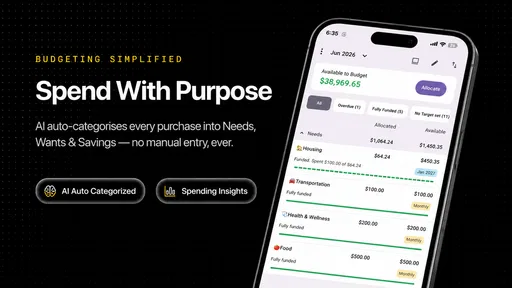
Managing money usually fails in the small moments: a purchase is forgotten, a bill is placed in the wrong month, or a budget is created once and then ignored. Best Budget is designed for that everyday gap. It is a finance app from CREXIN Technologies that brings spending records, budgets, debt reduction, and savings planning into one place. I found its strongest value in making money decisions visible without turning them into a complicated spreadsheet project.
The app is free to install and has an Everyone age rating, which makes it approachable for a household or a first-time budgeting user. It also includes optional in-app purchases priced from around six dollars to nearly one hundred dollars per item, so I would check any purchase screen carefully before confirming it. The current version is 2.1.4, and it runs on Android 8.0 or later. Those details matter because an older phone may support the operating system in theory but still feel less comfortable when entering information repeatedly.
Where Best Budget can feel confusing at first
The first hurdle is not really the arithmetic. It is deciding how much detail to enter. If I try to record every tiny purchase with too many categories, budgeting becomes another chore. If I use only one broad category for everything, the results are too vague to guide a decision. My practical advice is to begin with a small set that reflects real choices: housing, food, transport, recurring bills, debt, savings, and flexible spending.
That starting point gives the app useful information quickly. I can then notice whether my problem is an oversized fixed bill, frequent small purchases, or an irregular expense that keeps surprising me. A budget app cannot correct a category system that does not match daily life, so the setup deserves more attention than the first attractive dashboard or summary view.
Another common sticking point is expecting the app to know everything automatically. Best Budget is most useful when I treat it as a deliberate record rather than a passive financial feed. I need to enter or organize transactions consistently and decide what each amount means. That may feel slower than relying on a bank statement, but it also encourages me to look at spending as a set of choices rather than a list of unexplained withdrawals.
The most important habit is consistency, not perfect detail. A simple record updated regularly is more useful than a beautifully organized budget abandoned after a week. I would rather start with broad, reliable categories and refine them after seeing a pattern than spend an evening designing a system that is too demanding to maintain.
Choose a first goal instead of trying to fix everything
Best Budget covers several financial jobs, but I would not begin by pursuing all of them at once. Pick one immediate target: stop overspending on flexible purchases, create room for a debt payment, or protect a small savings contribution. Once the app helps with that target, the other sections become easier to use because the numbers have a purpose.
For example, someone with irregular income may benefit from tracking necessary spending before setting ambitious savings plans. A person with predictable pay may prefer to assign money to bills and debt as soon as income arrives. The same app can support both approaches, but the useful workflow depends on the user’s cash-flow pattern rather than on a universal budgeting formula.
I also recommend distinguishing between a monthly limit and a long-term goal in my own thinking. A spending budget answers, “How much can I use in this period?” A savings or debt goal answers, “What result am I trying to reach over time?” Mixing those questions can make an ordinary grocery purchase feel like a failure, even when it fits the plan.
Setup checks that prevent misleading results
Before judging the app, I would check the basics. The phone should run Android 8.0 or later, and the installed version should be the current 2.1.4 release when possible. If the app behaves strangely, an outdated installation or a phone with very little free storage can be a more likely explanation than a problem with the budgeting logic itself.
I would also look at the device date and time. Financial records depend on dates, and a wrong device clock can put an expense in an unexpected period. This is a simple check, but it is especially useful when a transaction appears missing from a monthly view or when a new budget seems to start at the wrong point.
The next check is the starting balance and the opening period. If I begin with incomplete information, later totals may look wrong even though each new entry is correct. A clean start does not require reconstructing every purchase from years ago. It does require choosing a sensible starting point and recording the money that is actually available for the plan.
Category names should be practical and distinct. “Food,” “restaurants,” and “coffee” can be useful if those distinctions change my behavior. They are less useful if I cannot remember which one to choose. I would avoid creating categories that describe the same decision in slightly different ways, because that makes reports harder to interpret and increases the chance of inconsistent entries.
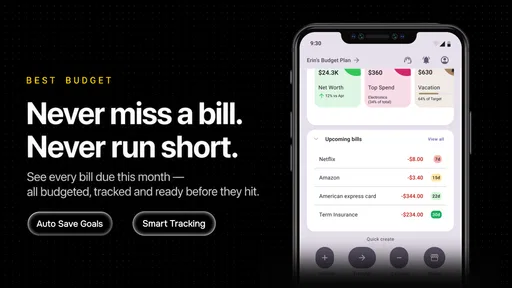
Recurring obligations deserve their own check. Rent, subscriptions, loan payments, insurance, and utilities can make a budget look healthier than it is if they are not considered early. Even when an amount changes from period to period, I can plan for the obligation first and treat the final amount as an adjustment rather than discovering it after flexible spending has already consumed the available money.
How I would build a manageable first budget
I would begin by listing essential commitments, then reserve a realistic amount for variable necessities. After that, I would add a modest debt or savings target and leave a buffer for ordinary surprises. A plan with no room for a prescription, a repair, or a higher-than-usual bill is not necessarily disciplined; it may simply be too fragile to survive a normal month.
Best Budget is particularly useful here because it puts budgeting, debt, and savings in the same financial conversation. I can see that paying extra toward a balance may compete with building a cash cushion, or that a lower dining limit could create room for a planned purchase. The app does not make that trade-off disappear, but it gives me a place to make it consciously.
One non-obvious tip is to use the app as a review tool, not just a prediction tool. At the end of a week, I would look for categories that repeatedly exceed expectations and ask whether the limit is unrealistic or the behavior is avoidable. This prevents me from blindly lowering a number simply because I missed it. Sometimes the correct adjustment is to move money from a vague category into a more honest one.
Another useful approach is to separate controllable and less-controllable spending in the way I organize categories. A fixed bill cannot usually be changed this week, while takeout or entertainment may be adjustable immediately. That distinction helps me act on the information instead of feeling overwhelmed by a total that includes expenses I cannot change quickly.
Recovering when the workflow goes off track
Every budgeting routine breaks occasionally. I may forget several purchases, enter an amount twice, or stop checking the app during a stressful week. The wrong response is to abandon the entire plan because the record is no longer perfect. I would create a short recovery session: compare the recent account activity with the app, add the missing essentials first, and mark uncertain items for later review rather than guessing.
When a total looks wrong, I would retrace the simplest possibilities in order. First, check for duplicate entries. Next, check whether a purchase was assigned to the wrong category or period. Then compare the starting balance with the actual amount available when the budget began. These checks solve many apparent errors without requiring a complete rebuild.
If I cannot identify an old transaction immediately, I would use a temporary, clearly named category rather than forcing it into an unrelated one. That keeps the current totals honest and gives me a question to resolve later. The temporary category should not become permanent clutter, so I would review it during the next weekly check and reclassify or remove it once the details are clear.
A missed week also changes how I should interpret the app. The first day after a lapse is not the right moment to make dramatic cuts based on incomplete information. I would restore the record, observe the next normal cycle, and then adjust the budget. Otherwise, I might react to a distorted snapshot and create a plan that feels punishing but does not address the real pattern.
Debt and savings require different recovery rules
Debt tracking can create pressure to send every spare amount toward a balance, while savings planning can make it tempting to delay repayment indefinitely. I would use Best Budget to show both priorities, but I would decide on a minimum for each before making extra payments. That creates a more stable routine than changing the entire plan whenever a difficult bill appears.
For savings, a small contribution that survives several periods can be more useful than a large target that repeatedly gets cancelled. For debt, a clear planned amount makes progress easier to judge than occasional payments made only when money happens to remain. The app’s value is in keeping those intentions visible beside ordinary spending, where they can influence choices before the money disappears.
A practical recovery trick is to review the next upcoming obligation before allocating leftover money. If I use every apparent surplus for debt or savings and then face a known bill, I have not really made progress; I have shifted the problem. Looking ahead protects the budget from this false sense of spare cash.
When the app is not the cause of the problem
Not every disappointing result comes from Best Budget. If the totals do not match a bank account, the difference may come from pending card transactions, a delayed payment, cash spending, fees, transfers between accounts, or a purchase made by another household member. Those situations need reconciliation, not simply another budget category.
Transfers deserve special care because they can look like spending in one place and income in another. If I count both sides as ordinary expenses, the budget becomes inflated. I would treat movement of money between my own accounts as a separate event in my personal method and avoid using it to judge whether I overspent.
Cash is another source of confusion. A cash withdrawal is not necessarily the final expense; it becomes one only when the money is used. If I record the withdrawal and then record each cash purchase as spending without a consistent method, I may count the same money twice. The app can organize the record, but I still need a clear rule for how I represent cash.
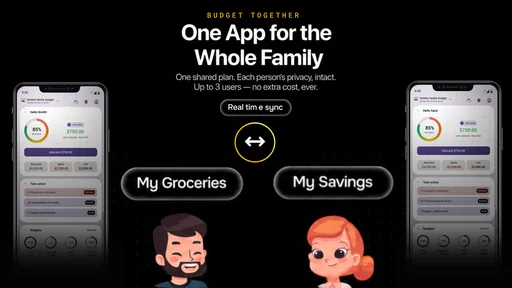
Shared finances can also produce apparent inconsistencies. If a partner or family member spends from the same pool but does not follow the same recording routine, the app’s picture will be incomplete. In that situation, a short weekly agreement about who records which purchases may help more than changing categories repeatedly.
It is also important to remember that a budgeting app is not a substitute for checking official account information. I would use the app for planning and behavior review, while using statements or the relevant financial institution for final transaction confirmation. That division keeps the tool useful without asking it to serve as the authoritative source for every account detail.
Who will benefit, and who should choose another approach?
Best Budget suits someone who wants one focused place to think about spending, budgets, debt, and savings without building a spreadsheet from scratch. It is a good fit for a person who is willing to enter information, review it regularly, and learn from categories over time. It can also help a beginner understand why a budget fails, because the user can connect everyday spending with broader goals.
I would be more cautious recommending it to someone who expects completely automatic financial management or instant synchronization across every account. The app’s usefulness depends on a reliable personal workflow, so anyone unwilling to maintain entries may prefer an alternative built around automatic account aggregation. That option can reduce manual work, although it may offer less deliberate awareness of each purchase.
A spreadsheet may be better for a user who wants unusual formulas, detailed forecasting, or complete control over a custom financial model. A notebook can be better for someone who finds screens distracting and only needs a very simple weekly limit. On the other hand, those alternatives require more design or discipline, while Best Budget offers a more approachable middle ground for organizing several money goals in one app.
The free price makes it easy to try without committing upfront, but the optional purchases change the decision slightly. I would use the core experience first and only consider an in-app purchase if it clearly solves a problem I actually have. The range reaches from around six dollars to nearly one hundred dollars per item, so I would not assume that every available option is necessary for ordinary budgeting.
My practical verdict after using it as a routine
Best Budget is not a magic fix for disorganized finances, and its strongest results come from a modest routine: record spending, check categories, protect essential bills, and review progress before making the next decision. I like that the app’s purpose is broader than cutting expenses. Debt and savings are included in the same process, which makes the trade-offs of real life easier to see.
Its main friction is the responsibility placed on the user. A budget can only be as useful as the entries and assumptions behind it. People who want a fully automatic system may find that effort frustrating, while people who want more structure than a notebook but less complexity than a spreadsheet may appreciate it. The best experience comes from starting small, using honest categories, and treating missed entries as recoverable rather than as failure.
CREXIN Technologies presents Best Budget as a free finance app, and its current reach is already above ten thousand installs. With an Everyone rating and support for Android 8.0 or later, it is accessible to a broad group of users. My recommendation is straightforward: try it if you want an intentional, hands-on way to connect daily spending with debt and savings goals. Skip it if manual financial upkeep is exactly what you are trying to avoid.
After a week of use, I would judge it by one question: does it help me make a better decision before the next purchase or payment? If the answer is yes, the app is doing its job. If the numbers remain confusing, I would first simplify the categories and check the starting balance before blaming the tool. Used that way, Best Budget is a practical companion for building awareness and turning vague financial intentions into a routine I can actually maintain.
Verdict
Strengths of Best Budget
- Simple interface makes budgeting easy for beginners.
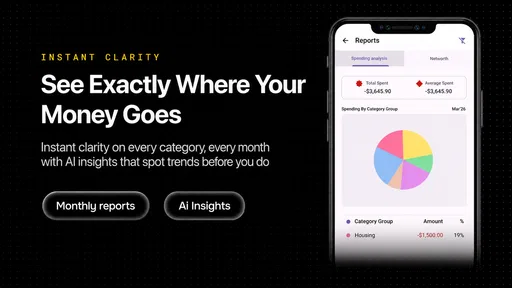
- Helps track spending and identify where money goes.
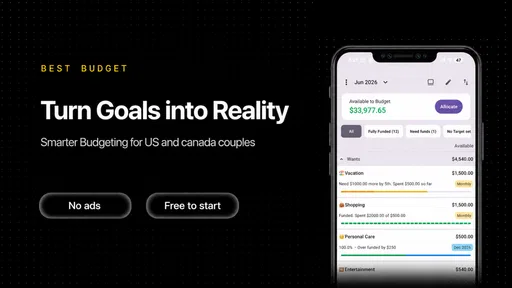
- Useful for planning monthly budgets and savings goals.
- Quick expense entry keeps financial records up to date.
- Can encourage more mindful spending habits.
Limitations of Best Budget
- Some features may require a premium subscription.
- Manual expense entry can become time-consuming.
- Limited value if transactions are not updated regularly.
- Budget recommendations may feel too basic for advanced users.
- Privacy concerns may arise when entering personal financial data.
Similar Picks in This Category
View All
Google Wallet
Google LLC4.3

Airtel: Recharge, Bank & Loans
Airtel4.0

PayPal - Pay, Send, Save
PayPal Mobile4.2

DANA Indonesia Digital Wallet
PT Espay Debit Indonesia Koe4.5

Binance: Buy Bitcoin & Crypto
Binance Inc.4.8

Cash App
Block, Inc.4.7
Frequently Asked Questions
What is Best Budget, and what can I use it for?
Best Budget is a personal finance app designed to help you organize income, expenses, bills, and spending categories in one place. After reviewing its main features, it is most useful for users who want a clearer overview of their daily finances, a simple budgeting routine, and better awareness of where their money goes. It is intended for personal planning rather than professional accounting or investment management.
Is Best Budget easy to use for beginners?
Yes, Best Budget is generally suitable for beginners because its main purpose is to make expense tracking and budget planning less complicated. You can typically begin by creating spending categories, entering income, and recording purchases or recurring payments. However, the usefulness of the app depends on keeping information updated regularly. Users who rarely record transactions may not receive an accurate picture of their financial habits.
Does Best Budget protect my personal and financial information?
Before using Best Budget, you should review the application’s privacy policy and the permissions requested on your Android or iOS device. Budget apps may handle sensitive information such as income details, expenses, account labels, or financial goals. Avoid entering passwords, card PINs, or unnecessary banking credentials unless the app clearly explains its security practices. Device protection and a strong passcode are also recommended.
Can Best Budget connect to my bank accounts automatically?
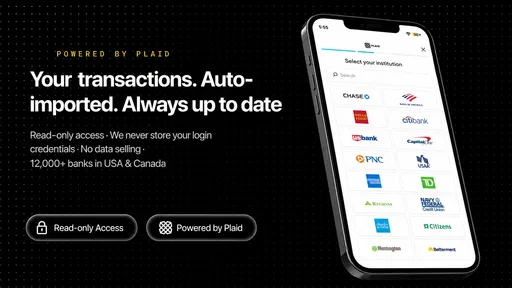
Bank synchronization and automatic transaction importing can vary according to the app version, country, platform, and available financial services. You should not assume that every bank or account type is supported. If automatic connections are unavailable, Best Budget can still be useful for manually recording income and expenses. Check the current store description and in-app settings to confirm whether your institution is compatible.
Is Best Budget free to download, and are there any additional costs?
Best Budget may be available to download without an upfront charge, but some features can depend on the app’s current pricing model. Premium tools, advertising removal, advanced reports, cloud synchronization, or expanded budgeting options may require a purchase or subscription. Because prices and offers can change, check the Google Play Store or Apple App Store listing carefully before downloading and confirm any recurring payment terms.
